Windows IKEv2 VPN Test
Certificate-based IKEv2 VPN for Windows
Connection Test Only
This VPN test has no internet access — connection test only. DNS is allowed via 192.168.138.2
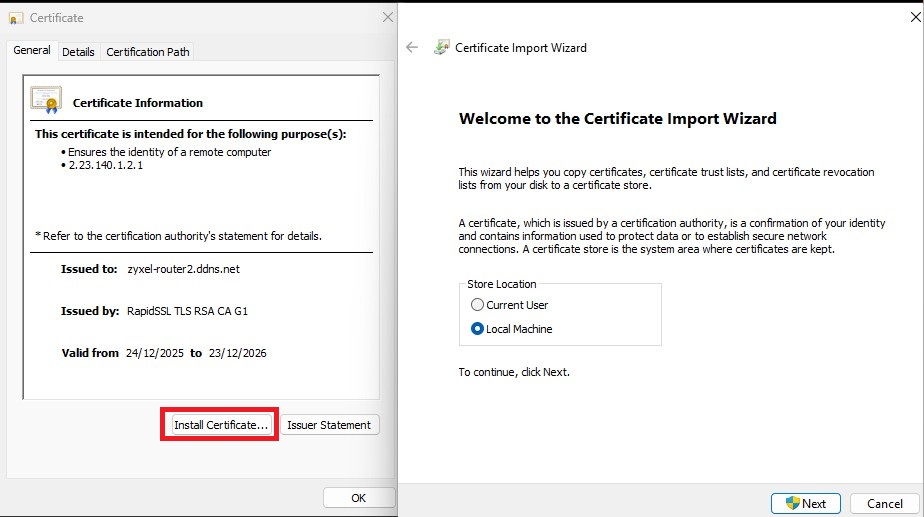
Step 1: Download & Install Certificate
Download the certificate from FTP or FTP AUTH SSL/TLS and install it
After downloading, rename the file to zyxel-router2.bridgemode.co.uk.crt
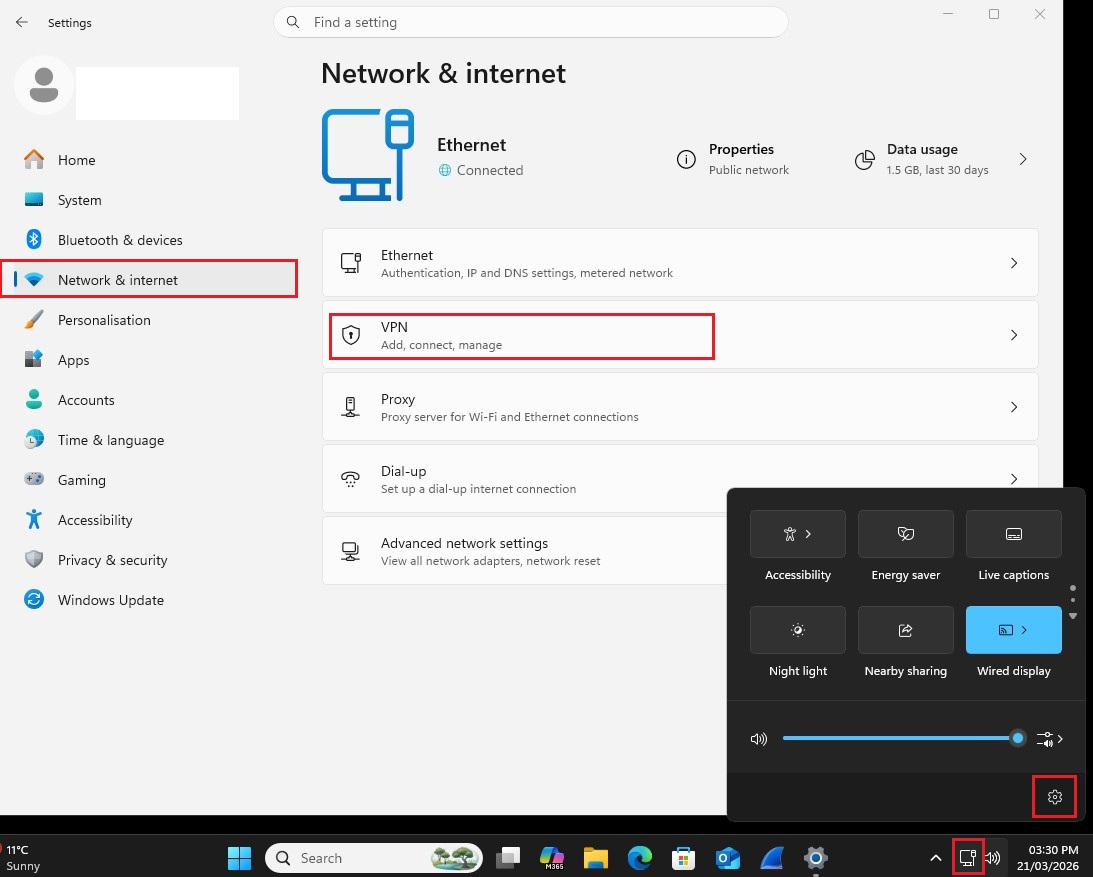
Step 2: Configure VPN Connection
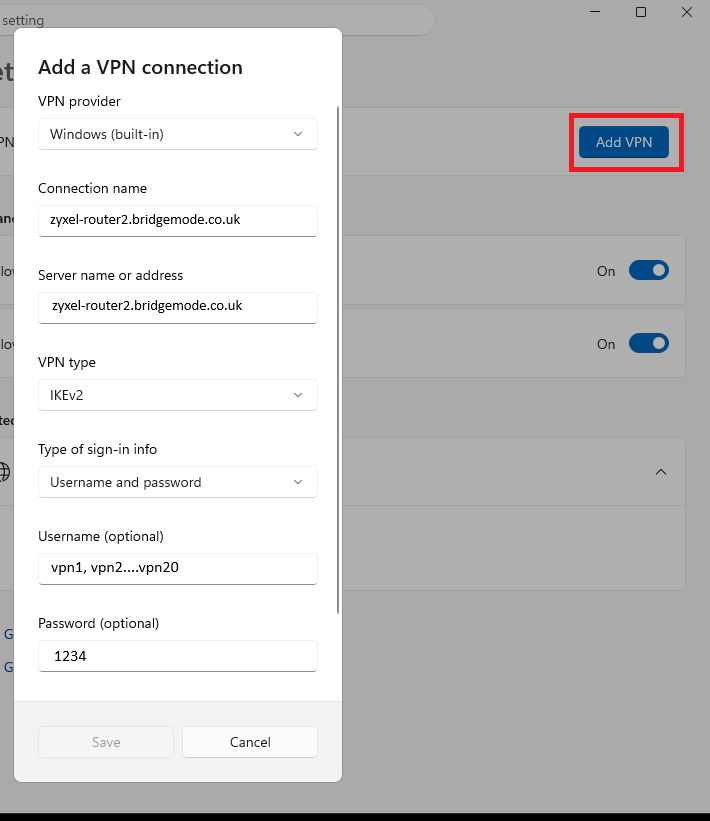
Add the VPN in Windows Settings — use these values
Server Address
zyxel-router2.bridgemode.co.uk
Connection Name
zyxel-router2.bridgemode.co.uk
VPN Type
IKEv2
Step 3: Apply IPsec Policy via PowerShell
Run this command in PowerShell after setting up the VPN connection
Set-VpnConnectionIPsecConfiguration -ConnectionName "zyxel-router2.bridgemode.co.uk" -AuthenticationTransformConstants SHA256128 -CipherTransformConstants AES256 -EncryptionMethod AES256 -IntegrityCheckMethod SHA256 -PfsGroup PFS2 -DHGroup Group14 -PassThru -Force
We Value Your Privacy
This website uses cookies to improve your experience. Some cookies are essential for the site to function, while others help us understand how you use our website so we can improve it.
By clicking "Accept All", you consent to our use of cookies. You can customize your preferences or reject non-essential cookies. See our Cookie Policy for more details.